
|
|

Add extra HDMI and USB ports and a USB-C charging port to your laptop using a single USB-C port. HDMI port for connecting a monitor or TV. Ultra-high resolution images in rich colours thanks to HDR and HDMI 1.4 (4K30Hz). USB port for accessories such as keyboard, mouse and external drive. Supports up to 5 Gbps data transfer speed, using USB 3.2 Gen 1. USB-C PD port for charging the laptop with up to 100W of power. Durable & stylish die-cast aluminium alloy housing. Thin and compact, easy to carry along when travelling. Works on every laptop, MacBook and tablet* with a USB-C port. Plug & play, no need to install any drivers. Upgrade Your Workflow. With the Trust Dalyx 3-in-1 Multiport USB-C Adapter you can really get the most out of your laptop. Extend the number of ports on your laptop and connect with multiple devices through an HDMI, a USB-A and a USB-C charge port.. Easy Setup And Compatibility. The versatile Trust Dalyx 3-in-1 Multiport USB-C Adapter works with every laptop, MacBook and tablet* that has a USB-C port. The Dalyx allows you to transfer data extra-fast over the USB-A port, at a speed of up to 5 Gbps via USB 3.2 Gen 1. There’s no need to install software for this handy tool; just plug in & play!. *Compatibility with Android tablets may vary, depending on USB-C implementation. Broad Connectivity. Using a single USB-C port on your device, the Dalyx offers all-round connectivity. Connect your tablet or laptop to a monitor or TV through the HDMI port to watch films and view photos in ultra-high resolution and rich colours thanks to HDMI 1.4 (4k30Hz). Charge your laptop via the USB-C PD (Power Delivery) port and add other devices like your keyboard or an external drive using the USB-A port.. Stylish Office and Travel Essential. The adapter comes in a durable die-cast aluminium alloy housing, making for a stylish addition to your desk setup and work kit, whilst its compact design makes it perfect for travelling. If you need to connect with various devices away from home, the Dalyx is your go-to office and travel essential.. Ports & interfaces. HDMI version. 1.4. HDMI ports quantity. 1. USB Power Delivery (USB PD). Yes. USB 3.2 Gen 1 (3.1 Gen 1) Type-C ports quantity. 1. USB 3.2 Gen 1 (3.1 Gen 1) Type-A ports quantity. 1. Host interface. USB 3.2 Gen 1 (3.1 Gen 1) Type-C. Performance. Country of origin. China. Plug and Play. Yes. Housing material. Aluminium. Hub interfaces. HDMI, USB 3.2 Gen 1 (3.1 Gen 1) Type-A, USB 3.2 Gen 1 (3.1 Gen 1) Type-C. Product colour. Aluminium, Black. Power. Power supply type. USB. Input current. 5 A. Power supply. 100 W. Software. Other operating systems supported. Android, iOS. Mac operating systems supported. Mac OS X 10.11 El Capitan, Mac OS X 10.12 Sierra, Mac OS X 10.13 High Sierra, Mac OS X 10.14 Mojave, Mac OS X 10.15 Catalina. Windows operating systems supported. Windows 10. Weight & dimensions. Weight. 43 g. Height. 11 mm. Depth. 51 mm. Width. 58 mm. Packaging data. Package weight. 73 g. Package height. 169 mm. Package depth. 20 mm. Package width. 128 mm. Quantity per pack. 1 pc(s). Logistics data. Harmonized System (HS) code. 8471800000. Other features. Cable length. 0.1 m. leaflet
Best Price: £24.99 from Back to the Office £24.99£47.832
| Retailer | Price | |
|---|---|---|
| Back to the Office | £24.99 | Go to shop |
| Computers Deal | £47.83 | Go to shop |

Add extra HDMI, network, card reader, USB and USB-C ports to your laptop or tablet using a single USB-C port. Connect a monitor or TV via HDMI port. Ultra-high resolution images in rich colours thanks to HDR and HDMI 1.4 (4k30Hz). 2x USB ports for accessories...

Compact and easy to take with you. Durable die-cast aluminium housing. Connect up to three USB devices using a single USB-C port on your laptop or PC. Fast data transfer speeds of up to 5Gbps with USB 3.2 Gen 1. SD and micro-SD card readers with transfer...
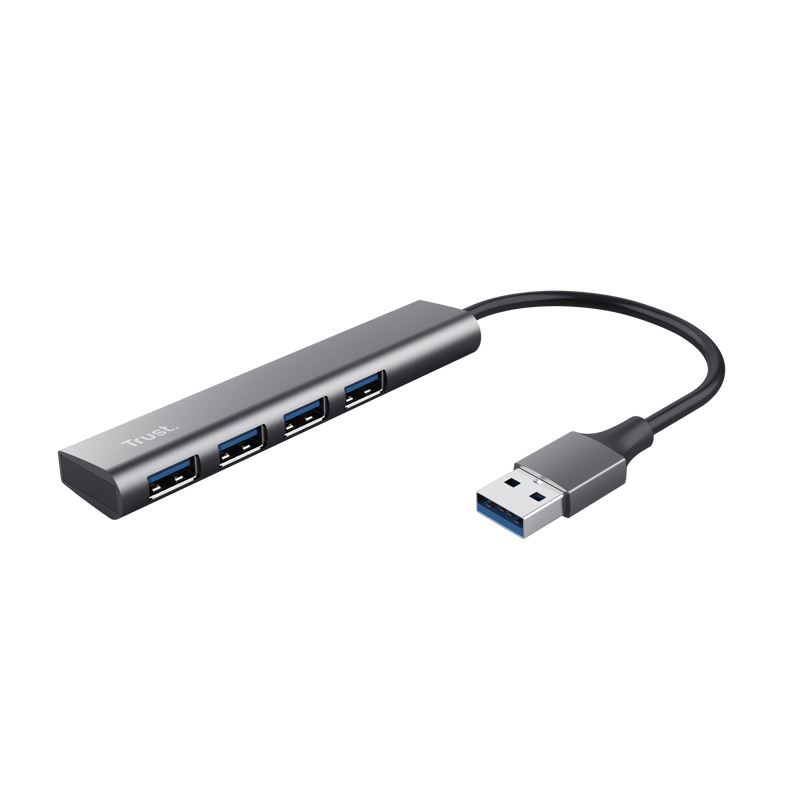
4 Port USB 3.2 Gen1 Hub Stylish aluminium USB hub adds 4 extra USB-A ports with 5 Gbps speed to your computer 4-Port Party Keyboard or mouse? Camera or headset? With 4 convenient ports, you’ll never be faced with deciding which of your USB devices...
|
|