
|
|
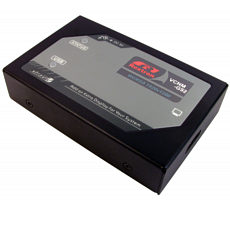
This device allows a PC display to be extended via an existing network (LAN) A software driver is loaded onto a networked PC which converts the display data to IP packets these are transferred across the network to the LAN extender and it provides an HDMI output at the remote network location. Up to 4 extenders can be connected to the network so you can transfer video and audio to 4 locations on the LAN Set up the extender as follows:- Step 1: Install the driver onto your networked PC Step 2: Plug the HDMI extender into the network at the display location and connect its HDMI output into the display Step 3: Search for the HDMI extender in the software on the PC and connect to it. Specification: HDMI Over Ethernet Extender Extend an HDMI signal via a LAN network Utilise existing cabling for lower installation cost Maximum display resolutions up to UXGA (1600x1200) and Full-HD (1920x1080) Supports clone and extend display modes Up to 4 units can be used on one system USB Socket for local HDMI extension Supports Win XP/Vista/7/8 and Mac OS 10.4-6
Price: £88.25 from TV Cables
| Retailer | Price | |
|---|---|---|
| TV Cables | £88.25 | Go to shop |
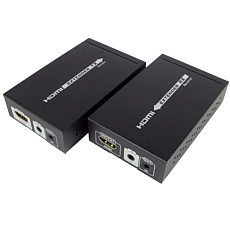
4k HDMI Over Ethernet Extender with IR remote control using HDBaseT technology enables an HDMI display to be located up to 70 metres away from the source device. It can conveniently be extended using only one Cat5e / 6 / 6a / 7 cable which is cost-effective....
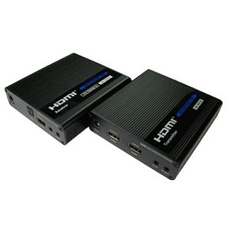
The HD-EX270 HDMI extender allows you to extend the distance of your HDMI 2.0 signal up to 70m via a single CAT6 / CAT6A / CAT7 Ethernet cable. The extender supports resolutions of up to 2160p at 60Hz whilst also supporting High Dynamic Range with HDR10....
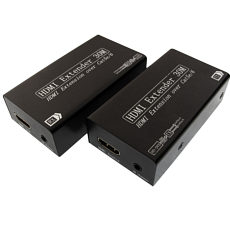
HDMI over CAT5 CAT5e or CAT6 ethernet cable complete kit with transmitter receiver and power supply just add 2 network cables of your choice. The advantage of using patch cables over HDMI cables is that you can increase the distance and alter the length...
|
|